Debug SEO HTML Errors Online with a Free HTML Viewer Tool
The digital world is built on code. For your website to succeed, its underlying HTML must be clean, structured, and error-free. Yet, hidden HTML errors and poorly configured SEO markup can silently damage your search engine visibility, preventing you from reaching your audience. Are hidden code errors hurting your search rankings?
Let’s uncover how to diagnose SEO HTML errors—and fix them fast. We'll explore how to use a powerful online tool to effortlessly identify, diagnose, and fix common SEO-related HTML issues. By learning to spot these problems, you can ensure your content ranks higher, performs better, and delivers a superior user experience. Get ready to take control of your website’s technical health with an easy-to-use tool.
Why SEO Markup Matters for Search Engine Visibility
Before we dive into debugging, it’s crucial to understand why clean HTML is so important for SEO. Search engines like Google don't just read your text; they analyze your code to understand the structure, context, and importance of your content. Messy or incorrect markup can confuse them, leading to lower rankings.
Understanding Semantic HTML and Its SEO Impact
Semantic HTML uses tags that describe the meaning of the content within them. Tags like <article> for blog posts or <nav> for menus clarify your page’s structure. Even simple choices—like using one <h1> per page—guide search engines effectively. This is far more effective than using generic <div> tags for everything.
Search engines rely on clear HTML structure to understand your content. When hierarchy is obvious, they can match your page to the right user queries. Clean, semantic HTML is the foundation of good on-page SEO, providing clear signals that boost your authority and relevance.

The Role of Core Web Vitals in Ranking (and How HTML Affects Them)
Google's Core Web Vitals (CWV) are a set of metrics that measure a website’s user experience, focusing on loading speed, interactivity, and visual stability. Your HTML structure directly impacts these scores.
- Largest Contentful Paint (LCP): Bloated, poorly written HTML can slow down rendering, negatively affecting your LCP score.
- Cumulative Layout Shift (CLS): Incorrectly sized images or ads defined in your HTML can cause content to jump around as the page loads, resulting in a poor CLS score.
By ensuring your HTML is lean and well-structured, you not only help search engines but also provide a faster, more stable experience for your visitors—a factor Google increasingly rewards.
Effortlessly View HTML Source Code Online with HTML Viewer
The first step in any technical audit is to look at the source code. While browser developer tools are useful, they can present code in a way that’s difficult to read. A dedicated online HTML viewer simplifies this process immensely, making it easy to see exactly what search engines see.
Importing HTML from URL for Quick Website Audits
One of the most powerful features for an SEO specialist is the ability to analyze any live webpage instantly. Instead of digging through browser menus, you can simply paste a URL into an online tool. This fetches the page's complete source code and displays it in a clean, organized editor. This method is perfect for quick spot-checks, competitor analysis, or auditing a client's website without needing any special access.
Pasting or Typing Code for Instant Preview and Analysis
Sometimes you don't need to analyze a full page. You might just want to test a small code snippet, like a new meta description, a piece of structured data, or a small layout change. An online editor allows you to paste or type your code directly and see a live preview of how it will render. This sandbox environment is ideal for experimenting and debugging without affecting your live site.
How Beautify Reveals Hidden Structure and Improves Readability
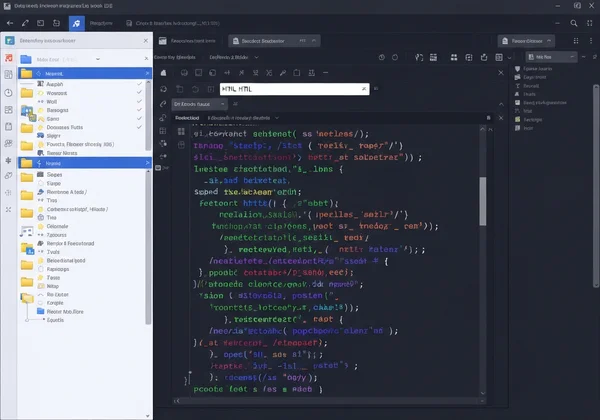
Raw source code from a website is often compressed into a single, unreadable line. This is great for performance but terrible for human analysis. This is where a "Beautify" function becomes essential. With a single click, it transforms messy, minified code into a perfectly formatted and indented structure. This process instantly reveals the page's hierarchy, making it simple to spot structural problems, find specific elements, and understand how the page is built. You can use our free formatter to see the difference yourself.
Identify Common HTML Errors SEO: Headings, Alt Text, & More
Once you can clearly view the HTML, you can start hunting for common errors that impact SEO. Many of these issues are easy to fix once you know where to look. Using a tool to beautify the code makes this process fast and efficient.
Auditing Heading Tags (H1-H6) for Structure and Hierarchy
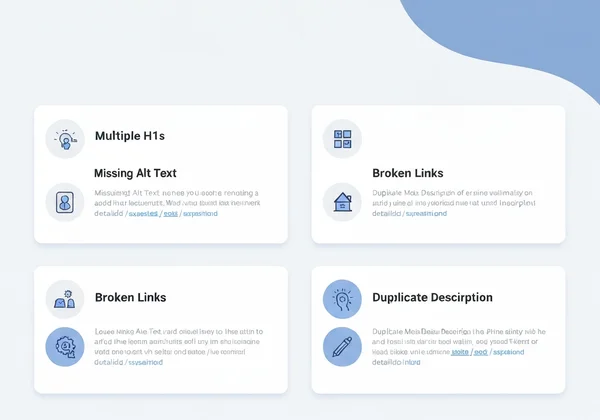
Heading tags (<h1> to <h6>) create a logical outline for your content. For good SEO, you should have only one <h1> per page, and your headings should follow a logical order (e.g., an <h3> should not appear before an <h2>). In a beautified view, you can quickly scan the code for these tags and check for:
- Multiple
<h1>tags. - Skipped heading levels (e.g., jumping from
<h2>to<h4>). - Headings used for styling instead of structure.
Checking Image Alt Text for Accessibility and Search Engine Understanding
Alternative text (alt text) is an HTML attribute on image tags (<img>) that describes the image. It's crucial for accessibility, as screen readers use it to describe images to visually impaired users. Search engines also use alt text to understand what an image is about. To check for it, simply search your code for <img> tags and ensure each one has a descriptive alt="..." attribute. Missing alt text is a common and easily fixable SEO mistake.
Detecting Broken Links and Orphaned Content with Source Review
Broken links create a poor user experience and can waste your crawl budget. While scanning the code, you can look at all the <a> tags (links) to check their href attributes. Look for obvious typos, incorrect relative paths (/page instead of ../page), or links pointing to known deleted pages. This manual review can help you spot issues that automated crawlers might miss.
Common Meta Tag Misconfigurations and Their Impact
Meta tags in the <head> section of your HTML are critical for SEO. When viewing the source code, pay close attention to this area. Common errors include:
- A missing or duplicate
<title>tag. - A missing or unoptimized
<meta name="description" ...>tag. - An incorrect
<meta name="viewport" ...>tag, which can cause mobile usability issues.
These elements are your first chance to tell Google what your page is about, so ensuring they are correct is vital. You can check your code now to see if these tags are properly configured.
Streamline Structured Data Analysis: View Schema Markup Online
Structured data (or schema markup) is advanced code that gives search engines highly specific information about your content. This information can lead to "rich snippets" in search results, such as star ratings, prices, or FAQ dropdowns, which can significantly increase your click-through rate.
What is Structured Data and Why is it Important for Rich Snippets?
Structured data uses a standardized vocabulary in your HTML. It gives search engines precise details—like product specs or event dates—without altering your page’s visual design. For example, you can use schema to tell Google that "Avatar" is a movie title, "James Cameron" is the director, and "8.5" is its rating. This level of detail helps Google display your page with eye-catching rich snippets.
Spotting JSON-LD and Microdata Implementation Issues
The most common format for structured data is JSON-LD, which is placed inside a <script type="application/ld+json"> tag in your HTML. When viewing the source code, you can easily find this script block. Look for common mistakes like trailing commas, missing quotation marks, or incorrect property names. A clear, beautified view of the code makes these syntax errors much easier to spot than in a compressed line.
Validating Schema with External Tools After Initial Review
While an HTML viewer is perfect for a quick initial inspection to see if schema exists and is free of obvious syntax errors, it is not a full validation tool. After your initial review, it's a best practice to copy the structured data snippet and paste it into a dedicated validator like Google's Rich Results Test. This confirms that your markup is fully compliant and eligible for rich snippets, building trust and ensuring a complete workflow.

Empower Your SEO with Proactive HTML Debugging
Clean, well-structured HTML is not just a technical detail—it is a cornerstone of modern SEO. By learning to proactively identify and fix markup errors, you can significantly improve your website's performance, user experience, and search engine rankings.
Using a simple online tool removes the technical barriers, allowing you to quickly analyze any URL, beautify messy code, and pinpoint issues with headings, alt text, meta tags, and even complex structured data. This proactive approach empowers you to take control of your technical SEO health. Start optimizing your site’s SEO markup today: paste your URL into the HTML Viewer for instant insights.
Frequently Asked Questions About HTML & SEO Debugging
How can I easily view the HTML code of any website?
While you can use the "View Page Source" option in your browser, the code is often messy and hard to read. The easiest way is to use a dedicated HTML viewer tool. Just paste the website’s URL, and it will fetch and display the code in a clean, organized editor.
What are the most common HTML errors that negatively impact SEO?
The most common issues include having more than one H1 tag, skipping heading levels (e.g., H2 to H4), missing alt text on images, broken internal links, and having duplicate or missing meta title and description tags. These can all be spotted by reviewing the source code.
Can an HTML viewer fix my SEO markup issues automatically?
An HTML viewer is a powerful tool designed to help you find SEO-related HTML issues quickly. It does not fix them automatically. It empowers you by clearly showing you what's wrong so you can make the correct changes in your website's source code yourself.
How does beautifying HTML help with SEO debugging?
Websites often serve compressed HTML to load faster, which looks like a wall of text to a human. The beautify function adds line breaks and indentation, instantly transforming it into a readable document. This reveals the page structure, making it much easier to audit heading hierarchy, find specific tags, and spot errors. You can try the beautifier to see its impact.
Is viewing structured data online enough for full SEO validation?
Viewing structured data online is an excellent first step for quickly checking its existence and looking for obvious syntax errors. However, for complete verification, you should always use a dedicated tool like Google’s Rich Results Test. This will confirm that your markup is fully valid and eligible to be shown in search results.