Analyze Competitor HTML Online with Our URL Import Viewer
Ever wonder what makes your top competitor's website rank so well or feel so fast? The answers are often hidden in plain sight, embedded directly within their source code. But diving into raw code can feel like navigating a maze, especially when it’s messy or compressed. What if you could easily inspect any website's structure and strategy?
Analyzing a competitor's source code is a powerful technique used by savvy SEO experts, web developers, and digital marketers to gain a strategic advantage. It reveals the secrets behind their search engine rankings, user experience, and technical performance. This guide will show you how to analyze competitor source code online, turning confusing code into actionable insights. And the best part? You can do it all with a simple, free online HTML viewer designed to make the process effortless.

Why Analyze Competitor Source Code? The Strategic Advantage
Looking at a website’s source code is like looking under the hood of a high-performance car. It shows you exactly how it’s built, what parts it uses, and what makes it run efficiently. This knowledge allows you to reverse-engineer success and apply proven strategies to your own projects.
Gaining an Edge in SEO and Performance
A website's markup is the foundation of its on-page SEO. Examining a competitor's code reveals their keyword strategy, content structure, and optimizations. Check meta titles/descriptions for clickbait from Google. Scan headings (H1, H2, H3) to see how they signal topics to search engines.
The code also spills performance secrets. Spot script loading tricks. Check for modern image formats like WebP. See how they smooth out user experience. These details directly impact search rankings, as speed and usability are critical ranking factors.
Uncovering Design and Development Patterns
Beyond SEO, the source code provides a blueprint of a site’s design and development choices. You can identify the CSS frameworks, JavaScript libraries, and other technologies they rely on. This is incredibly valuable for understanding their tech stack without needing complex tools.
For designers and developers, this means you can spot clever layout techniques, innovative features, and efficient coding patterns. It’s a practical way to learn from the best in your industry, find inspiration for your own work, and stay current with modern web development practices.
How to Analyze Competitor Source Code with Our URL Import Tool
While you can view source code in any browser, you’ll often be met with a compressed, unreadable wall of text. This is where a dedicated tool makes all the difference. Our tool simplifies the entire process with its powerful URL import and formatting features.
Step-by-Step URL Import for Source Code Viewing
Analyzing a competitor's website has never been easier. Our tool eliminates the need to manually copy and paste code. Here’s how to do it in three simple steps:
- Navigate to our online HTML viewer.
- Find the "Import from URL" field prominently displayed on the page.
- Paste the full URL of the competitor’s website you want to analyze and click "Import".
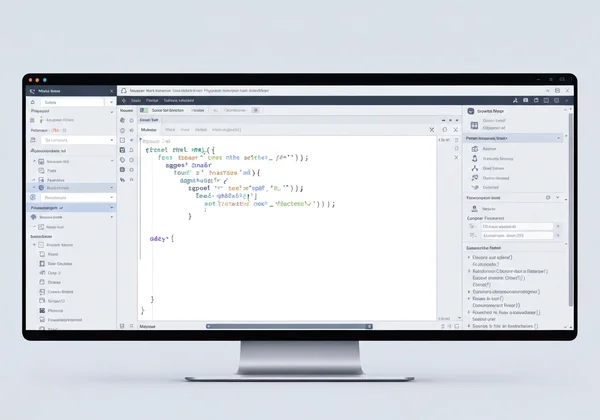
The full HTML source loads instantly in the left editor. Now inspect the site's structure easily.
Beautify for Clarity: Making Sense of Complex Code
The imported code might still look jumbled, especially if it was minified to save space. This is the most common barrier to effective analysis. Our "Beautify" feature solves this problem with a single click.
After importing the URL, simply click the Beautify button. The tool automatically formats the code, adding proper indentation and line breaks. A tangled block of text transforms into a clean, well-structured document that is easy to read and navigate. This step is essential for making sense of complex code and quickly identifying key sections.
Exploring the DOM: Identifying Key Elements
With the code now clean and readable, you can begin your exploration. The markup is organized in a structure called the Document Object Model (DOM), which is like a family tree for the webpage. You can now easily scan this structure for important elements.
Start by looking inside the <head> section. Here you will find crucial SEO information like the <title> tag, <meta name="description">, and any structured data scripts. Next, move to the <body> to see how they structure their visible content with headings, paragraphs, and images. This clear view allows you to perform a quick and effective website analysis.
What to "Reverse Engineer" in a Website's Source Code
Now that you can easily view and read the code, what should you look for? Here are the key areas to focus on to extract the most valuable insights for your own strategy.
SEO Insights: Meta Tags, Headings, and Structure
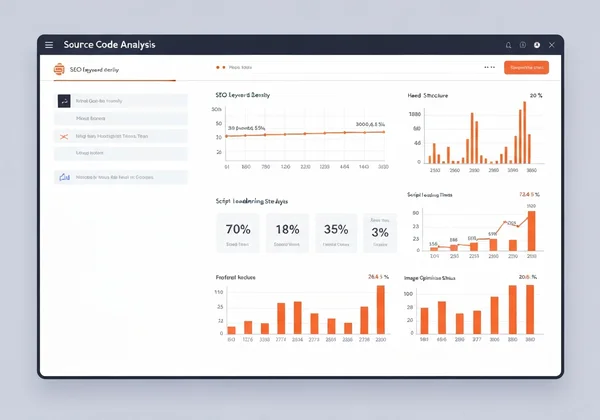
This is the goldmine for any SEO professional. Create a quick checklist and scan the beautified code for the following:
- Meta Title & Description: What primary and secondary keywords are they targeting in the
<title>and<meta name="description">tags? How compelling is their copy? - Heading Hierarchy: Is there a single
<h1>tag that clearly states the page's main topic? How do they use<h2>and<h3>tags to structure their content and target related keywords? - Image Alt Text: Check
<img>tags for thealtattribute. Are they using descriptive alt text for accessibility and image SEO? - Structured Data (Schema): Look for
<script type="application/ld+json">. This indicates they are using schema markup to get rich snippets (like ratings or FAQs) in search results.
Performance Clues: Script Loading & Asset Optimization
A fast website is crucial for both user experience and SEO. The source code reveals many clues about a site's performance strategy:
- Script Placement: Are
<script>tags placed just before the closing</body>tag? This is a best practice that allows the page content to load first. - Loading Attributes: Look for
asyncordeferattributes on script tags. These tell the browser to load scripts without blocking the page from rendering. This significantly improves perceived speed. - Asset Optimization: Check
<img>tags. Are they using modern, efficient formats like.webp? Do they use theloading="lazy"attribute to defer loading of off-screen images?
Accessibility Features and Semantic HTML Use
A commitment to accessibility is a sign of a high-quality website. It also has positive overlaps with SEO. When analyzing the code, look for:
- Semantic HTML: Do they use tags like
<nav>,<main>,<article>, and<aside>? Using these tags correctly helps search engines and screen readers understand the page structure. - ARIA Roles: Look for
roleattributes, which provide extra context for assistive technologies. - Clear Labeling: Check if form inputs have associated
<label>tags.
By examining these elements, you gain a deep understanding of your competitor’s technical sophistication and priorities.
Best Practices for Ethical Website Analysis
Analyzing a competitor's public-facing code is a standard and ethical industry practice. However, it's important to approach it with a professional and respectful mindset.
Respecting Privacy and Terms of Service
You should only ever analyze publicly accessible information. Viewing the source code of a webpage is equivalent to what your browser does every time you visit a site. Never attempt to access protected directories, run malicious scripts, or aggressively scrape content. These actions can violate a site's terms of service. The goal is to observe and learn, not to intrude.
Focusing on Learning and Improvement, Not Duplication
The most important rule is to use your findings for inspiration, not imitation. Never copy and paste large blocks of a competitor's code, content, or proprietary assets. The purpose of this analysis is to understand the strategies behind their success. Use those insights to develop your own, even better solutions. Let their work inform your strategy, not define it.
Turn Competitor Insights into Action
Put those competitor insights to work. Grab a URL, import it into our online HTML viewer, and beautify the code. You'll spot SEO wins and performance tweaks in minutes—then apply them to beat the competition.

Frequently Asked Questions About Competitor Code Analysis
How do I view the HTML code of any website?
The traditional way is to right-click on a webpage in your browser and select "View Page Source" or "Inspect." However, this often shows messy code. A much simpler method is to use our online HTML viewer. You just paste the website’s URL, and it fetches and displays the code for you, with an option to clean it up instantly.
What is the easiest way to inspect competitor website source?
The easiest way is by using a dedicated online HTML viewer with a URL import function. This avoids manual copy-pasting and provides features to make the code readable. Our tool is designed for this exact purpose. It lets you import, view, and beautify any webpage's source code in just a few clicks.
Can this HTML viewer help with technical SEO audits?
You bet. Paste any URL into our tool, hit Beautify, and scan titles, metas, headings, and schema markup fast—no dev tools needed.
Is it ethical to analyze competitor websites?
Yes, it is both ethical and a common business practice to analyze the public-facing code of a competitor's website. You are simply viewing information that is publicly available to all browsers. The key is to use this information for learning and strategic inspiration, not for plagiarizing code or content. Always focus on improving your own work, not just copying others.